

Jobber vs Housecall Pro is one of the most common CRM decisions contractors face, but most comparisons go sideways because they focus too heavily on feature lists. The better choice comes down to which system fits the way your business actually handles leads, scheduling, communication, and repeat work.
This Jobber vs Housecall Pro comparison is built to show how each platform behaves in real operating conditions, not just how it looks in a sales demo. Both can be the right choice. Neither is the right choice for everyone.
Built around real workflow differences, not recycled vendor copy.
Why Workflow Fit Matters More Than Feature Lists
Most contractors start by comparing features. It feels logical—more boxes checked should mean a better system. In practice, that approach usually leads to friction within the first few weeks of real use.
The problem is that demos and feature lists show what a platform can do, not how it behaves under real operating pressure. Everything looks smooth in isolation. The breakdown happens when leads, schedules, field work, and communication all start interacting at once.
CRM and field service software is not just a tool you open occasionally. It becomes the system your team works inside every day. It shapes how jobs are created, how information moves, how technicians get assigned, how customers are updated, and how repeat work is managed. That structure matters more than any individual feature.
When the system does not match how your business actually operates, friction shows up quickly:
- leads get handled inconsistently or too late
- scheduling becomes harder than it should be
- dispatch and routing create unnecessary back-and-forth
- office and field communication starts breaking down
- recurring work becomes manual instead of repeatable
- follow-up slips through the cracks
The right choice is not the platform with the longest feature list. It is the one whose underlying workflow matches how your business already needs to move from first contact to completed work. That is the lens we will use for the rest of this comparison.
- Requests → Quotes → Jobs → Visits
- Clients and Properties anchor the relationship
- Built around scheduling, dispatch, and repeat service
Most work enters Jobber as a request that already assumes intent. The system is built for situations where the customer is ready or close-to moving forward, not sitting in a long pre-sale process.
That shifts the focus immediately toward quoting and scheduling, rather than qualifying whether the opportunity should be pursued.
👉 Operational impact:
Fewer steps before scheduling, faster movement from inquiry to booked work, and less time spent managing early-stage follow-up.
Quotes in Jobber are typically created quickly and are designed to convert directly into jobs. The flow is linear and predictable-request → quote → job-without much structural complexity.
👉 Operational impact:
Faster setup, fewer decision points, easier for teams to stay consistent.
Once approved, work becomes a job that is ready to be scheduled and broken into visits. The system assumes forward momentum and pushes toward execution quickly.
👉 Operational impact:
Minimal friction between approval and scheduling.
Jobs break into visits, which allows for tighter control over scheduling, route density, and recurring work. This is where Jobber's structure becomes very strong.
👉 Operational impact:
Efficient routing, easier repeat scheduling, better for service-heavy operations.
Communication is tied to jobs and workflow steps. It supports the process, but it is not the central organizing layer.
👉 Operational impact:
Clean and sufficient, but not built for heavy communication workflows.
Recurring work is built into the system through visits and property-based organization. This is where Jobber compounds efficiency over time.
👉 Operational impact:
Lower manual effort for repeat work and multi-location clients.
After a job is completed, Jobber naturally pushes the customer back into a repeat-service structure through recurring visits, property-based organization, and a workflow built around scheduled work. The system is designed to keep future service tied to the client and property record instead of relying on someone to remember the next step.
👉 Operational impact:
Repeat work becomes scheduled and trackable, which reduces manual follow-up and makes ongoing service easier to manage.
Housecall Pro starts with a lead, which is expected to be tracked, qualified, and moved through a pipeline before it becomes a job. Nothing is assumed to be ready yet.
The system creates a dedicated stage for follow-up, status tracking, and next-step management before any scheduling happens.
👉 Operational impact:
Stronger visibility into opportunities and follow-up, but requires more structure and discipline to move work forward.
Estimates exist within the pipeline and can sit across different stages depending on follow-up, approvals, or customer communication. They are part of a broader pre-job lifecycle.
👉 Operational impact:
More control over estimate tracking, but more moving parts before work is confirmed.
Jobs are created within a broader context of pipeline history, communication, and customer interaction. The system retains more visibility into what happened before the job was booked.
👉 Operational impact:
More context, but slightly more complexity in how jobs are managed.
Scheduling exists, but is not as tightly built around visit structures. It operates more at the job level, with less emphasis on route optimization.
👉 Operational impact:
Works well for general scheduling, but less optimized for high-density routing.
(Job Inbox + Texting) Communication is a core layer of the system. The shared inbox and dedicated texting number create a centralized place for conversations across leads and jobs.
👉 Operational impact:
Stronger team coordination, especially for communication-heavy operations.
Recurring work exists, but the system is more focused on managing ongoing pipeline activity and communication rather than structuring repeat service as the core model.
👉 Operational impact:
Better for ongoing lead flow, less optimized for repeat service structure.
After a job is completed, Housecall Pro keeps the customer inside a communication and pipeline-oriented environment. Follow-up depends more on messaging, visibility, and process discipline than on a system model built primarily around recurring service structure.
👉 Operational impact:
Stronger communication continuity after the job, but more reliance on the team to actively drive repeat work and reactivation.
- Leads → Estimates → Jobs → Pipeline tracking
- Customer profile as the central record
- Job Inbox and Texting Number drive communication flow
Workflow Walkthrough: What Day-to-Day Use Actually Feels Like
The structural difference between these platforms becomes most obvious when you look at how work actually moves through them. This is where feature lists stop being useful and day-to-day fit starts becoming clear.
This is where the Jobber vs Housecall Pro comparison becomes more practical, because the differences show up in how your team actually works day to day.
From first contact to booked work
In Jobber, work typically enters as a request that is already close to being scheduled. That means the system assumes intent is relatively high from the start. You’re often moving quickly toward creating a quote or scheduling work, rather than managing a long pre-job pipeline.
In Housecall Pro, work starts as a lead and is tracked through a pipeline before becoming a job. This creates a more explicit stage for qualification, follow-up, and visibility into where each opportunity sits before anything is scheduled.
If your team deals with a high volume of inquiries that need tracking and follow-up, the pipeline model feels more natural. If most incoming work is already ready to move forward, the request-based flow tends to feel faster and simpler.
Estimating, approvals, and job setup
In Jobber, quotes are typically created quickly from requests and converted into jobs with minimal friction. The flow is linear—request to quote to job—so setup tends to feel straightforward and consistent across most types of work.
In Housecall Pro, estimates exist within the broader pipeline context. They are often tied to lead stages and can be part of a longer pre-job process, especially when multiple touchpoints or approvals are involved before work is confirmed.
If your estimating process is simple and repeatable, Jobber’s flow tends to feel cleaner. If your team needs to track multiple estimate states or follow-ups before work is approved, Housecall Pro provides more structure around that stage.
Scheduling, dispatch, and route management
In Jobber, scheduling and dispatch are central to the system. Jobs break into visits, which makes it easier to manage recurring work, multi-day jobs, and route density across technicians. The structure supports organizing work across a calendar in a predictable way.
In Housecall Pro, scheduling exists alongside pipeline and communication features, but it is not as tightly centered around visit-based structuring. The system still handles dispatch, but the experience is less centered on visit-based routing and more centered on managing the overall job and the communication around it.
If your business depends on tight routing, repeat visits, or optimizing technician schedules, Jobber’s structure tends to feel more natural. If scheduling is only one part of a broader workflow that includes heavy communication and lead tracking, Housecall Pro can still fit well.
Communication between office, field, and customer
In Jobber, communication is tied closely to jobs, clients, and workflow steps. Messages and updates are part of the service process, but they are not the central organizing layer of the system.
In Housecall Pro, communication is more centralized. The job inbox and dedicated texting number create a shared communication layer that sits across leads, jobs, and customer interactions, giving teams a more unified view of conversations.
If communication is relatively straightforward and tied to scheduled work, Jobber’s approach is usually sufficient. If your team relies heavily on texting, shared inbox visibility, and coordinated communication before and during jobs, Housecall Pro’s structure becomes more valuable.
Recurring work and repeat service
In Jobber, recurring work is built into the system through visits and property-based organization. This makes it easier to manage repeat service, ongoing schedules, and clients with multiple service locations.
In Housecall Pro, recurring work exists but is less central to the system’s structure. It can be handled, but the system does not feel as structurally centered on recurring service as Jobber does.
If repeat service and multi-property work are a major part of your business, Jobber’s structure tends to reduce manual effort over time. If recurring work is secondary to lead flow and job management, Housecall Pro can still support it without being the core focus.
Jobber vs Housecall Pro: Where the Real Differences Start to Show Up
Once the terminology is clear, the comparison gets much easier to read. At that point, the important differences are no longer about whether both platforms have a feature—they are about how each system expects work to move.
The biggest separation points show up in the parts of the business that create the most operational friction: how new work enters the system, how estimates and approvals move toward scheduling, how office and field communication stay aligned, and how repeat work is managed over time.
The comparison below is designed to show where those differences become practical, not theoretical. This is where Jobber and Housecall Pro stop looking similar on paper and start feeling different in real use.
Side-by-Side Comparison: Where the Differences Actually Show Up
This is not a feature checklist. Each row reflects how the platform behaves in real use—where friction is reduced, where process is added, and where each system fits best.
| Category | Jobber | Housecall Pro |
|---|---|---|
| Entry Point How work begins |
Request-based → assumes work is close to scheduling | Lead-based → built for qualification before booking |
| Pre-Job Flow Before work is booked |
Linear and fast (Request → Quote → Job) | Pipeline-driven with multiple stages and follow-up |
| Estimating Approval process |
Quick conversion to job with minimal friction | Estimate sits inside pipeline and may require tracking |
| Scheduling Calendar structure |
Visit-based → optimized for repeat service | Job-based → less structured at visit level |
| Dispatch & Routing Field execution |
Strong for route density and multi-stop days | Functional, but less optimized for routing efficiency |
| Communication Team + customer flow |
Tied to jobs and workflow steps | Centralized (job inbox + business texting) |
| Recurring Work Repeat service |
Core strength → built into system structure | Supported, but not a primary system focus |
| Multi-Property Multiple locations |
Strong → client + property model | Less structurally defined |
| Pipeline Visibility Pre-job tracking |
Limited / implicit | Explicit and central to workflow |
| Operational Complexity Learning curve |
Lower friction → faster adoption | More layered → more control, more overhead |
Where Jobber Is the Better Fit
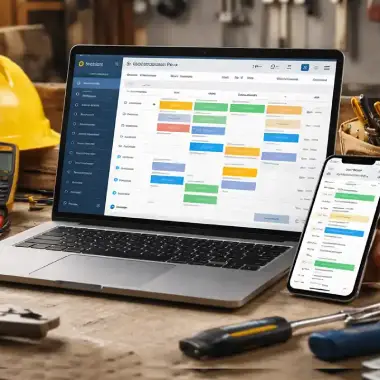
Jobber tends to be the better fit when the business is built around getting work scheduled, completed, and repeated efficiently without adding extra process layers.
The platform is structured to move work efficiently from incoming requests into scheduled jobs and visits. If you want a deeper breakdown of how the system is set up, you can review our Jobber platform overview.
This shows up most clearly in how scheduling and recurring work behave. Jobber’s visit-based structure makes it easier to manage repeat service, route density, and multi-location customers in industries like landscaping without building additional workflows to support them.
For teams that are dispatch-heavy, field-driven, and focused on execution over pipeline management, this creates a lower-friction environment. The system reinforces getting work done rather than managing pre-job complexity.
If your business runs on scheduled work, repeat visits, and efficient routing, Jobber usually aligns more naturally with how your team already operates. You can also try Jobber here if you want to see how it fits your workflow in practice.
Where Housecall Pro Is the Better Fit

Housecall Pro tends to be the better fit for service businesses that need more structure before work is booked, especially when lead tracking, communication, and office coordination are central to the workflow.
The platform is built to keep early-stage opportunities visible instead of pushing everything quickly toward scheduling. That makes it especially useful for teams that need to qualify leads, manage estimate follow-up, and keep pre-job activity organized before work is confirmed. If you want a broader view of how the system is positioned, you can review our Housecall Pro platform overview.
This advantage becomes more obvious when communication is a major part of the job lifecycle. Housecall Pro’s pipeline, job inbox, and dedicated texting workflow create a stronger shared communication layer across office staff, prospects, customers, and active jobs in industries like HVAC.
Instead of minimizing pre-job process, the system gives teams more visibility into what still needs to happen before work is scheduled and completed. That can add some operational complexity, but it also gives sales-heavy or communication-heavy teams more control over how opportunities move forward.
For businesses where follow-up discipline, centralized messaging, and pipeline visibility matter as much as field execution, this creates a more controlled environment that can be easier to manage at scale.
- lead qualification is a meaningful part of the workflow
- estimate follow-up needs to be tracked consistently
- office staff need clearer visibility into pre-job status
- shared texting or inbox-based communication matters day to day
- sales activity and job execution are closely connected
- you want more visibility and control before work reaches the schedule
If your business runs on lead flow, communication discipline, and stronger pre-job coordination, Housecall Pro will usually feel more natural to operate day to day. You can also try Housecall Pro here if you want to see how it fits your workflow in practice.
Friction, Trade-Offs, and Known Pain Points
Here is where the Jobber vs Housecall Pro comparison becomes less about features and more about how each system fits real operational pressure.
No platform is friction-free. The real question is not whether Jobber or Housecall Pro has weaknesses—it is whether the weaknesses line up with parts of the business you can live with.
This is where feature lists stop being useful again. A platform can look strong in a demo and still create drag once the team is relying on it every day. The goal here is not to make either system look bad. It is to show where each one tends to create friction in real use.
Where Jobber Can Create Friction
Jobber is often easier to adopt, but that simplicity comes with limits in areas where some businesses need more control before work is scheduled.
- pre-job lead tracking is less explicit, which can make follow-up harder for sales-heavy teams
- pipeline visibility is more limited, especially if the business depends on managing early-stage opportunities
- communication is tied to workflow, but less centralized across the full customer lifecycle
- reporting and customization can feel restrictive as operational complexity increases
- teams needing heavier process control may outgrow the simpler execution-first model
Where Housecall Pro Can Create Friction
Housecall Pro gives teams more visibility and communication control, but that added structure can introduce more process overhead in day-to-day use.
- the platform can feel heavier for teams that just need work scheduled and completed quickly
- more pipeline and communication structure means more discipline is required from the office
- recurring work is supported, but it is less naturally embedded into the system model than in Jobber
- route-heavy service businesses may not feel the same scheduling efficiency as a visit-centered workflow
- more layers of coordination can make the system feel slower if the business does not actually need them
In practice, the better choice usually comes down to which kind of friction is easier for your business to absorb: less pre-job control, or more process before work moves forward.
Best Fit by Business Type
The fastest way to narrow this down is to match the platform to the kind of work your business handles every day. These are the patterns where the fit usually becomes much clearer.
Roofing / Project-Based Contractor
If the sales cycle includes lead follow-up, estimate tracking, and more pre-job communication before anything is scheduled, the workflow usually leans toward Housecall Pro.

Better fit for estimate-heavy work where lead tracking, communication, and pre-job visibility matter before crews are dispatched.
Lawn Care / Route-Based Service
If the business depends on recurring visits, route density, and getting technicians through tightly scheduled days, the workflow usually leans toward Jobber.

Better fit for repeat service, efficient routing, and a system built around execution instead of a longer pre-job process.
Cleaning / Recurring Multi-Property Work
If the business runs on repeat service across multiple locations and needs work to stay organized by client and property, Jobber usually aligns more naturally.
Better fit for recurring schedules, property-based organization, and keeping repeat work efficient over time.
HVAC / Communication-Heavy Service Team
If the office spends a lot of time coordinating calls, texts, scheduling changes, and pre-job updates, Housecall Pro tends to feel more natural in daily use.
Better fit for teams that need stronger communication visibility across leads, customers, and active jobs.
Small Dispatch Team / Fast-Moving Service Business
If speed, simplicity, and low-friction scheduling matter more than pipeline control, Jobber is usually the cleaner operational fit.
Better fit for teams that want work to move quickly from request to schedule to completion without extra process layers.
Sales-Led Contractor / Estimate-Driven Workflow
If the business depends on managing opportunities before they become booked work, Housecall Pro usually gives the team more visibility and control.
Better fit for estimate tracking, follow-up discipline, and workflows where sales activity matters before scheduling starts.
Most businesses are not a perfect match for only one pattern, but one of these usually dominates. That dominant workflow is usually the clearest signal for which platform will feel more natural day to day.
If you want to see how this translates into real-world setups, you can explore how we structure CRM and workflow systems by industry in our industry playbooks.
Final Verdict: Which Should You Choose?
The right choice between Jobber and Housecall Pro comes down to how your business actually runs—not which platform has more features.
Choose Jobber if:
- Your business is built around job execution and operational flow
- You want a structured, step-by-step workflow from request to quote to job to invoice
- Your team needs consistency and clarity in how work moves through the system
- You rely on repeat work, scheduled jobs, and predictable service delivery
Jobber is the better fit when the priority is getting work scheduled, completed, and repeated efficiently without adding unnecessary process.
Choose Housecall Pro if:
- Your focus is on lead flow, pipeline visibility, and sales tracking
- You need stronger visibility into incoming opportunities and conversions
- Your team is actively managing estimates, follow-ups, and closing jobs
- You want more flexibility in how jobs are created and moved through the system
Housecall Pro is the better fit when the business depends on managing opportunities, communication, and pre-job coordination before work is scheduled.
If you’re still unsure
Most issues with these platforms are not caused by the software—they come from how the system is set up and used.
The wrong workflow will make either platform feel inefficient. The right setup will make either one perform well.
The Bottom Line
Jobber and Housecall Pro are built for different operating models—and that difference shows up quickly in real use.
- Jobber wins on structure, scheduling, and repeat service execution
- Housecall Pro wins on pipeline visibility, communication, and sales workflow control
The best choice is the one that matches how your business already needs to move from first contact to completed work.
Need Help Choosing or Setting It Up?
If you're deciding between platforms—or not getting the results you expected—we’ll map the system to your actual workflow and fix the gaps that slow teams down.
Quick Feature Snapshot
If you just want a fast comparison of what each platform emphasizes, this is the quickest way to see where they differ.
- ✅ Structured service workflow
- ✅ Strong scheduling & dispatch
- ✅ Visit-based job management
- ✅ Recurring work built-in
- ✅ Multi-property support
- ⚠ Limited pipeline visibility
- ⚠ Less emphasis on sales tracking
- ✅ Lead & pipeline tracking
- ✅ Strong communication tools
- ✅ Job inbox & texting workflow
- ✅ Estimate follow-up visibility
- ⚠ Less structured visit system
- ⚠ Recurring work less central
- ⚠ More operational complexity
Both platforms cover the basics. The difference is what they prioritize - and that's what determines which one fits your workflow.
Ready to Try the Platform That Fits Best?
If you already know which direction makes more sense for your business, the next step is to evaluate the platform in a real workflow—not just in theory.
Start with Jobber
Best for structured workflows, scheduling, repeat service, and route-based execution.

Start with Housecall Pro
Best for lead tracking, communication, estimate follow-up, and stronger pre-job visibility.

We may receive a referral fee if you use one of our partner links, at no additional cost to you.
Not sure which way to go? Book a CRM Strategy Call.
Glossary
Key Terms Used in This Comparison
These terms reflect how each platform is structured. Small differences in wording often signal larger differences in how work actually flows.
Understanding how each system is structured is critical to making the right Jobber vs Housecall Pro decision.
- Client
- In Jobber, the primary customer record that owns requests, quotes, jobs, invoices, and properties.
- Customer Profile
- In Housecall Pro, the central customer record that stores communication, jobs, invoices, and activity history.
- Dispatch
- Assigning work to technicians. In Jobber, this is closely tied to scheduled visits; in Housecall Pro, it sits within a broader job and communication flow. ↩
- Estimate
- In Housecall Pro, a pre-job document often managed inside a pipeline before work is confirmed. ↩
- Follow-Up
- Actions taken after an inquiry or completed job to move work forward. ↩
- Job
- The active work record in both systems. ↩
- Job Inbox
- A shared communication hub in Housecall Pro. ↩
- Lead
- An early-stage opportunity tracked through a pipeline. ↩
- Pipeline
- A stage-based system used to track leads and estimates. ↩
- Property
- A service location tied to a client. ↩
- Quote
- Approval-stage document that converts into a job. ↩
- Recurring Work
- Repeat service scheduled over time. ↩
- Request
- Intake point for new work. ↩
- Route Density
- How efficiently jobs are grouped geographically. ↩
- Scheduling
- Placing work on the calendar. ↩
- Texting Number
- A dedicated business texting line. ↩
- Visit
- A scheduled instance of work tied to a job. ↩
- Workflow
- The structured sequence of steps that moves work from request to completion. ↩
Shane Kelly
Shane Kelly is a senior web developer and solutions architect with over 20 years of experience building high-performance websites and integrated business systems. As the founder of CIRRIUSbusiness.com, he specializes in combining enterprise-level web architecture with practical, real-world applications for service-based businesses and eCommerce brands.
Shane has led the development and optimization of large-scale digital platforms, including managing and migrating over 25+ international eCommerce websites. His expertise spans front-end development, performance optimization, SEO implementation, analytics tracking, and complex system integrations across platforms like WordPress and BigCommerce.
At CIRRIUSbusiness, Shane focuses on bridging the gap between powerful technology and everyday business operations. He works with contractors and service companies using platforms like Jobber and Housecall Pro, helping them streamline lead intake, automate workflows, and improve conversion rates-while also building scalable systems typically reserved for larger organizations.
His approach is direct: websites should not just exist-they should function as operational tools that drive revenue, track performance, and support growth. Whether working with a local service business or a multi-store eCommerce brand, Shane builds systems that are fast, measurable, and built to scale.
- Jobber vs Housecall Pro: Which CRM Is Right for Your Business? April 3, 2026
- Housecall Pro Review 2026: Is It Worth It for Contractors? March 20, 2026
- Jobber Grants 2026: Apply for Up to $100,000 in Small Business Funding March 9, 2026
- Jobber Now Offers Annual Commitment with Monthly Billing February 17, 2026
- Jobber Summit 2026: The Free Event Every Serious Contractor Should Attend February 13, 2026
Our Fact Checking Process
We prioritize accuracy and integrity in our content. Here's how we maintain high standards:- Expert Review: All articles are reviewed by subject matter experts.
- Source Validation: Information is backed by credible, up-to-date sources.
- Transparency: We clearly cite references and disclose potential conflicts.
Our Review Board
Our content is carefully reviewed by experienced professionals to ensure accuracy and relevance.- Qualified Experts: Each article is assessed by specialists with field-specific knowledge.
- Up-to-date Insights: We incorporate the latest research, trends, and standards.
- Commitment to Quality: Reviewers ensure clarity, correctness, and completeness.